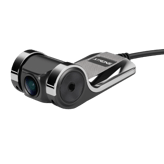
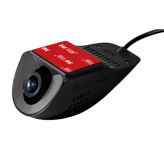
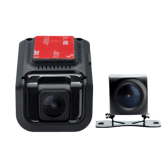
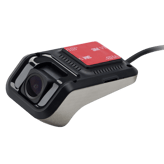
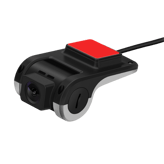
XTRONS ACCAMADF01 Facts: 131 Specifications & 11 Highlights
What makes the XTRONS ACCAMADF01 click with car owners? It’s got 131 specs & performance worth checking out — we start with camera configuration, device type, front lens field of view & power input voltage.
 Supermod
 Moderator
Highlights 11
No extras. Just what matters.Why is XTRONS ACCAMADF01 better than other dash cams ?
Video & Recording Performance
Scroll down for more factsPower, Battery & Charging
- Charging While Recording Available
- Features Auto Power On
- Features Auto Power Off
- Supports Hardwire Kit
- Provides Cold Start Reliability
- Heat Resistance Design
Build, Dimensions & Mounting
Scroll down for more factsQuick Take
The essentials that matter—nothing extraA fast snapshot of the XTRONS ACCAMADF01, covering its standout specification and what you can expect right out of the box.

XTRONS ACCAMADF01
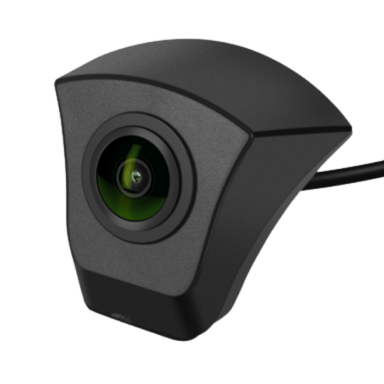
XTRONS ACCAMADF01 is a front-facing AHD camera designed primarily for specific vehicle integration, especially Audi models. It delivers clear 720P video with a wide viewing angle, making it useful for monitoring the road ahead in real time. This camera focuses more on seamless installation and compatibility rather than advanced dash cam features.
Quick Specs Breakdown
The key specs that actually matter—no fluff, no guessworkHere’s a streamlined view of the XTRONS ACCAMADF01 key specifications. Compare critical features at a glance before exploring the full specs and hands-on insights below.
What camera configuration does it use?
What type of device is this?
What storage media does it use?
What is the front lens field of view?
What input voltage does it require?
Can it charge while recording?
Does it power on automatically?
Does it power off automatically?
How is the dash cam charged?
Is a hardwire kit supported?
What type of internal battery does it use?
What type of mount is used?
What is the warranty length?
What is the maximum supported storage?
What is the front camera resolution?
Does it support Wi-Fi?
Specifications & Facts 131
Specs measured. Drama avoided.Is the XTRONS ACCAMADF01 the best choice in its class? You’ll find out here with full specs, comparisons to similar dash cams, and opinions from the community.
General Information 18

XTRONS ACCAMADF01 Camera Configuration
What camera configuration does it use?
0 XTRONS ACCAMADF01 0 Votes Front
Dash Cam in this range Who knows?

XTRONS ACCAMADF01
Camera configuration is Front only, meaning it captures the view ahead of the vehicle but does not include rear or interior cameras.
This is suitable if you primarily need forward-facing incident evidence.
Indicates how many cameras and viewing angles are supported.
XTRONS ACCAMADF01 Device Type
What type of device is this?
0 XTRONS ACCAMADF01 0 Votes Dash Cam
Dash Cam in this range Who knows?
XTRONS ACCAMADF01
Device type is classified as a Dash Cam, intended for in-vehicle forward-facing video capture and event documentation.
Expect typical dash-cam features like loop recording and timestamped files.
Defines the product category and primary function.
XTRONS ACCAMADF01 Storage Media Type
What storage media does it use?
0 XTRONS ACCAMADF01 0 Votes microSD
Dash Cam in this range Who knows?
Specifies the type of storage media used to record video footage.
XTRONS ACCAMADF01 Operating Temperature Range
What temperature range does it support?
0 XTRONS ACCAMADF01 0 Votes -4°F to 158°F
Dash Cam in this range Who knows?
XTRONS ACCAMADF01
Operational temperature is rated at -4°F to 158°F which converts to -20°C to 70°C, meaning the unit is designed to handle very cold and very hot environments.
This wide range is useful if the vehicle is left in extreme seasonal or geographic conditions.
Defines the temperature range where the dash cam operates reliably.
XTRONS ACCAMADF01 Mounting Type
How is the dash cam mounted?
0 XTRONS ACCAMADF01 0 Votes Dashboard
Dash Cam in this range Who knows?
Describes where and how the dash cam is mounted in the vehicle.
XTRONS ACCAMADF01 Installation Location
Where is the dash cam installed?
0 XTRONS ACCAMADF01 0 Votes Front Windshield
Dash Cam in this range Who knows?
Indicates the physical installation position inside the vehicle.
Video & Recording Performance 20
XTRONS ACCAMADF01 Front Camera Resolution
What is the front camera resolution?
0 XTRONS ACCAMADF01 0 Votes 720p
Dash Cam in this range Who knows?
Specifies the video resolution of the front-facing camera.
XTRONS ACCAMADF01 Video Codec
What video codec is used?
0 XTRONS ACCAMADF01 0 Votes H.264
Dash Cam in this range Who knows?
XTRONS ACCAMADF01
Video is encoded with H.264, a widely compatible codec that balances file size and image quality.
Files in H.264 are easy to play back on most devices without extra conversion.
Defines the compression format used for video files.
XTRONS ACCAMADF01 Continuous Recording
Can it record continuously?
Yes 0 Votes XTRONS ACCAMADF01
Dash Cam in this range Who knows?
XTRONS ACCAMADF01
Yes: the camera supports continuous (loop) recording, automatically overwriting the oldest files when storage is full.
This ensures uninterrupted capture without manual file management.
Indicates support for uninterrupted recording sessions.
XTRONS ACCAMADF01 Front Frame Rate
What is the front camera frame rate?
Dash Cam in this range Who knows?
Measures how smoothly the front camera records motion.
XTRONS ACCAMADF01 HDR
Does it support HDR?
No
0
Votes
XTRONS ACCAMADF01
Dash Cam in this range Who knows?
Indicates support for High Dynamic Range video.
XTRONS ACCAMADF01 WDR
Does it support WDR?
No
0
Votes
XTRONS ACCAMADF01
Dash Cam in this range Who knows?
Enhances visibility in mixed lighting conditions.
Camera & Lens System 12
XTRONS ACCAMADF01 Front Lens Field of View
What is the front lens field of view?
Dash Cam in this range Who knows?
XTRONS ACCAMADF01
Front lens field of view is 170 degrees, offering a wide-angle perspective to capture multiple lanes and roadside context.
Be aware that very wide angles can introduce some edge distortion on the footage.
Indicates how wide the front camera can capture the road.
XTRONS ACCAMADF01 Sensor Type
What sensor type is used?
0 XTRONS ACCAMADF01 0 Votes CMOS
Dash Cam in this range Who knows?
XTRONS ACCAMADF01
Sensor type is CMOS, a common and power-efficient imaging sensor for consumer dash cams.
CMOS sensors generally offer good sensitivity and low power draw for daytime and moderate low-light recording.
Identifies the imaging sensor technology used.
XTRONS ACCAMADF01 Lens Type
What type of lens is used?
0 XTRONS ACCAMADF01 0 Votes Glass
Dash Cam in this range Who knows?
Specifies the material and construction of the lens.
XTRONS ACCAMADF01 Adjustable Lens Angle
Is the lens angle adjustable?
No
0
Votes
XTRONS ACCAMADF01
Dash Cam in this range Who knows?
Indicates whether the lens angle can be manually adjusted.
XTRONS ACCAMADF01 Focus Type
What focus type does it use?
0 XTRONS ACCAMADF01 0 Votes Fixed
Dash Cam in this range Who knows?
Describes how the camera focuses on objects.
XTRONS ACCAMADF01 Distortion Correction
Does it correct lens distortion?
No
0
Votes
XTRONS ACCAMADF01
Dash Cam in this range Who knows?
Reduces fisheye or edge distortion in wide-angle footage.
Display & Interface 10
XTRONS ACCAMADF01 Display Type
What type of display does it use?
0 XTRONS ACCAMADF01 0 Votes LCD
Dash Cam in this range Who knows?
XTRONS ACCAMADF01
The display type is LCD, which provides a standard color screen for live view and on-device playback.
An LCD typically balances cost and visibility but may be less bright than higher-end IPS panels in direct sunlight.
Describes the screen technology used.
XTRONS ACCAMADF01 Built-in Display
Does it have a built-in display?
No
0
Votes
XTRONS ACCAMADF01
Dash Cam in this range Who knows?
Indicates whether the dash cam includes an integrated screen.
XTRONS ACCAMADF01 Touchscreen
Is the display touchscreen-enabled?
No
0
Votes
XTRONS ACCAMADF01
Dash Cam in this range Who knows?
Indicates whether the screen supports touch input.
XTRONS ACCAMADF01 Screen Rotation
Does the screen rotate automatically?
No
0
Votes
XTRONS ACCAMADF01
Dash Cam in this range Who knows?
Allows the display to rotate based on mounting orientation.
XTRONS ACCAMADF01 Screen Auto-Off
Does the screen turn off automatically?
No
0
Votes
XTRONS ACCAMADF01
Dash Cam in this range Who knows?
Turns off the screen automatically to reduce distraction.
XTRONS ACCAMADF01 Status LED Indicators
Are status LEDs included?
No
0
Votes
XTRONS ACCAMADF01
Dash Cam in this range Who knows?
Uses LED lights to show recording or system status.
Connectivity & Smart Features 12
XTRONS ACCAMADF01 Wi-Fi Connectivity
Does it support Wi-Fi?
No
0
Votes
XTRONS ACCAMADF01
Dash Cam in this range Who knows?
Indicates whether the dash cam supports Wi-Fi connectivity.
XTRONS ACCAMADF01 Bluetooth Connectivity
Does it support Bluetooth?
No
0
Votes
XTRONS ACCAMADF01
Dash Cam in this range Who knows?
XTRONS ACCAMADF01
No Bluetooth connectivity is available, so the camera cannot pair with phones for audio streaming or certain wireless controls.
Use wired connections or the supported app (if available) for direct data transfer instead.
Enables short-range wireless communication with other devices.
XTRONS ACCAMADF01 Mobile App Support
Is there a mobile app?
No
0
Votes
XTRONS ACCAMADF01
Dash Cam in this range Who knows?
Indicates compatibility with a companion mobile application.
XTRONS ACCAMADF01 Cloud Connectivity
Does it support cloud connectivity?
No
0
Votes
XTRONS ACCAMADF01
Dash Cam in this range Who knows?
Allows footage upload and access via cloud services.
XTRONS ACCAMADF01 Live View via App
Can you view live footage in the app?
No
0
Votes
XTRONS ACCAMADF01
Dash Cam in this range Who knows?
Enables real-time camera viewing through the mobile app.
XTRONS ACCAMADF01 Video Download via App
Can videos be downloaded via the app?
No
0
Votes
XTRONS ACCAMADF01
Dash Cam in this range Who knows?
Allows recorded videos to be downloaded directly to a phone.
Safety, Security & Parking Protection 14
XTRONS ACCAMADF01 G-Sensor
Does it have a G-sensor?
No
0
Votes
XTRONS ACCAMADF01
Dash Cam in this range Who knows?
XTRONS ACCAMADF01
No G-sensor is present, so the camera will not automatically lock or mark files when sudden motion or impact is detected.
Plan for external motion-detection strategies (e.g., parking mode via hardwiring or separate sensor) if you need automated event locking.
Detects sudden impacts or collisions automatically.
XTRONS ACCAMADF01 Collision Detection
Does it detect collisions?
No
0
Votes
XTRONS ACCAMADF01
Dash Cam in this range Who knows?
Automatically detects collisions while driving.
XTRONS ACCAMADF01 Parking Mode Impact Detection
Does it detect impacts in parking mode?
No
0
Votes
XTRONS ACCAMADF01
Dash Cam in this range Who knows?
Detects impacts while the vehicle is parked.
XTRONS ACCAMADF01 Parking Mode Motion Detection
Does it detect motion while parked?
No
0
Votes
XTRONS ACCAMADF01
Dash Cam in this range Who knows?
Triggers recording when motion is detected near the vehicle.
XTRONS ACCAMADF01 Battery Drain Protection
Is battery drain protection included?
No
0
Votes
XTRONS ACCAMADF01
Dash Cam in this range Who knows?
Prevents excessive vehicle battery drain.
XTRONS ACCAMADF01 Low-Voltage Cutoff
Does it have low-voltage cutoff?
No
0
Votes
XTRONS ACCAMADF01
Dash Cam in this range Who knows?
Automatically cuts power when voltage drops too low.
Power, Battery & Charging 14
XTRONS ACCAMADF01 Power Input Voltage
What input voltage does it require?
Dash Cam in this range Who knows?
XTRONS ACCAMADF01
Designed for the standard 12 Volt vehicle electrical system used in most cars and light trucks.
Ensure any hardwiring or adapter is compatible with a 12 V supply.
Defines the voltage required to power the dash cam.
XTRONS ACCAMADF01 Charging While Recording
Can it charge while recording?
Yes 0 Votes XTRONS ACCAMADF01
Dash Cam in this range Who knows?
XTRONS ACCAMADF01
Yes: the unit can charge while recording, allowing continuous operation during long drives without interruption.
Ensure your power wiring can support simultaneous charging and recording for extended trips.
Allows recording to continue while charging.
XTRONS ACCAMADF01 Auto Power On
Does it power on automatically?
Yes 0 Votes XTRONS ACCAMADF01
Dash Cam in this range Who knows?
XTRONS ACCAMADF01
Yes: the camera supports automatic power-on, so it starts recording when vehicle power is supplied without manual intervention.
This ensures you don't miss initial moments of a trip.
Automatically turns on with vehicle ignition.
XTRONS ACCAMADF01 Auto Power Off
Does it power off automatically?
Yes 0 Votes XTRONS ACCAMADF01
Dash Cam in this range Who knows?
XTRONS ACCAMADF01
Yes: the camera supports automatic power-off to conserve vehicle battery when the ignition is off or after a configured timeout.
This prevents unnecessary drain during long park periods.
Automatically shuts down when the vehicle is off.
XTRONS ACCAMADF01 Charging Method
How is the dash cam charged?
0 XTRONS ACCAMADF01 0 Votes Hardwire
Dash Cam in this range Who knows?
Describes how the device receives power.
XTRONS ACCAMADF01 Hardwire Kit
Is a hardwire kit supported?
Yes 0 Votes XTRONS ACCAMADF01
Dash Cam in this range Who knows?
Indicates compatibility with a dedicated hardwire kit.
Storage & File Management 11
XTRONS ACCAMADF01 Maximum Supported Storage
What is the maximum supported storage?
Dash Cam in this range Who knows?
XTRONS ACCAMADF01
Maximum supported storage is 128 GB, so use microSD cards up to that capacity for local recording.
For long continuous recordings or high bitrate settings, choose a reliable card at the recommended speed class.
Defines the maximum expandable storage capacity supported.
XTRONS ACCAMADF01 Storage Speed Class Requirement
What storage speed class is required?
0 XTRONS ACCAMADF01 0 Votes Class 10
Dash Cam in this range Who knows?
XTRONS ACCAMADF01
Storage speed requirement is Class 10, so use Class 10 microSD cards to ensure reliable continuous video writes.
Slower cards may cause dropped frames or recording errors.
Specifies the minimum card speed required for stable recording.
XTRONS ACCAMADF01 File Format
What file format is used?
0 XTRONS ACCAMADF01 0 Votes MP4
Dash Cam in this range Who knows?
XTRONS ACCAMADF01
Recorded video files use the MP4 container, which is widely supported by media players and editing tools.
Using MP4 simplifies review and sharing of clips.
Defines the video file format used for recordings.
XTRONS ACCAMADF01 File Naming Convention
How are files named?
0 XTRONS ACCAMADF01 0 Votes Time Stamp-Based
Dash Cam in this range Who knows?
XTRONS ACCAMADF01
Files follow a Time Stamp-Based naming convention, making it straightforward to find footage by date and time.
This is helpful for quick evidence retrieval after incidents.
Describes how recorded files are named and organized.
XTRONS ACCAMADF01 Overwrite Protection
Are important files protected from overwrite?
No
0
Votes
XTRONS ACCAMADF01
Dash Cam in this range Who knows?
Prevents protected files from being overwritten.
XTRONS ACCAMADF01 Manual File Lock
Can files be manually locked?
No
0
Votes
XTRONS ACCAMADF01
Dash Cam in this range Who knows?
Allows users to manually lock important footage.
Build, Dimensions & Mounting 11
XTRONS ACCAMADF01 Mount Type
What type of mount is used?
0 XTRONS ACCAMADF01 0 Votes Adhesive
Dash Cam in this range Who knows?
XTRONS ACCAMADF01
Mount type is Adhesive, which provides a low-profile, secure attachment to the windshield.
Adhesive mounts are generally permanent until removed and can offer a cleaner installation than suction mounts.
Specifies the mounting mechanism used to secure the dash cam.
XTRONS ACCAMADF01 Main Unit Width
What is the main unit width?
Dash Cam in this range Who knows?
XTRONS ACCAMADF01
Main unit width is 2.5 in, which is approximately 6.35 cm, indicating a compact footprint for discreet installation.
A compact width helps when mounting behind the rearview mirror to minimize driver obstruction.
Measures the horizontal width of the main dash cam unit.
XTRONS ACCAMADF01 Housing Material
What is the housing material?
0 XTRONS ACCAMADF01 0 Votes Plastic
Dash Cam in this range Who knows?
XTRONS ACCAMADF01
Housing material is Plastic, which keeps the unit lightweight and cost-effective.
Plastic is adequate for normal use but may be less impact-resistant than metal in high-stress scenarios.
Describes the material used for the dash cam housing.
XTRONS ACCAMADF01 Vibration Resistance
Is it vibration resistant?
Yes 0 Votes XTRONS ACCAMADF01
Dash Cam in this range Who knows?
XTRONS ACCAMADF01
Yes: the unit is designed to resist typical vehicle vibrations, helping maintain stable recordings on bumpy roads.
This improves long-term reliability for daily commuting or rugged routes.
Indicates resistance to vibration from road conditions.
XTRONS ACCAMADF01 Main Unit Depth
What is the main unit depth?
Dash Cam in this range Who knows?
Measures the front-to-back depth of the main unit.
XTRONS ACCAMADF01 Main Unit Height
What is the main unit height?
Dash Cam in this range Who knows?
Measures the vertical height of the main dash cam unit.
Maintenance, Updates & Ownership 9
XTRONS ACCAMADF01 Warranty Length
What is the warranty length?
0 XTRONS ACCAMADF01 0 Votes 1 year
Dash Cam in this range Who knows?
XTRONS ACCAMADF01
The product comes with a 1 year warranty, which covers manufacturing defects within that period.
Keep proof of purchase and register if required to facilitate any claims.
Indicates the duration of the manufacturer warranty.
XTRONS ACCAMADF01 Firmware Update Frequency
How often are firmware updates provided?
0 XTRONS ACCAMADF01 0 Votes Rare
Dash Cam in this range Who knows?
XTRONS ACCAMADF01
Firmware update frequency is Rare, meaning you should not expect frequent feature updates or patches.
Check support channels occasionally for critical security or compatibility releases.
Describes how frequently firmware updates are released by the manufacturer.
XTRONS ACCAMADF01 Average Lifespan
What is the average lifespan?
Dash Cam in this range Who knows?
XTRONS ACCAMADF01
Estimated average lifespan is 5 year under normal usage conditions.
Actual longevity depends on usage patterns, heat exposure, and power cycles.
Estimates the typical usable lifespan of the device.
XTRONS ACCAMADF01 Cleaning Requirement
How does it need to be cleaned?
0 XTRONS ACCAMADF01 0 Votes Wipe Lens Regularly
Dash Cam in this range Who knows?
XTRONS ACCAMADF01
Recommended cleaning procedure is Wipe Lens Regularly to maintain optimal image clarity and reduce artifacts from dust or smudges.
A soft, lint-free cloth with gentle cleaning solution is usually sufficient.
Indicates how often and how the device should be cleaned for optimal performance.
XTRONS ACCAMADF01 Customer Support Channels
What support channels are available?
0 XTRONS ACCAMADF01 0 Votes Email, Chat
Dash Cam in this range Who knows?
XTRONS ACCAMADF01
Customer support is available via Email and Chat, enabling asynchronous and near-real-time assistance respectively.
These channels are useful for troubleshooting, firmware questions, and warranty inquiries.
Lists available customer support methods.
XTRONS ACCAMADF01 Operating Noise Level
How loud is the dash cam?
Dash Cam in this range Who knows?
Measures any operational noise produced during use.
Surveys
Because hot takes deserve votes.XTRONS ACCAMADF01 Video Recording Quality
How satisfied are you with the video clarity and detail captured by this dash cam during daytime and nighttime driving?
XTRONS ACCAMADF01 Field of View Coverage
How well does this dash cam capture the road area in front of the vehicle?
XTRONS ACCAMADF01 Night Recording Performance
How effective is this dash cam at recording clear footage in low light or nighttime conditions?
XTRONS ACCAMADF01 Ease of Setup and Installation
How easy is it to install and start using this dash cam for the first time?
XTRONS ACCAMADF01 App and Software Experience
How smooth and user friendly is the app or software used with this dash cam?
XTRONS ACCAMADF01 Reliability and Durability
How reliable does this dash cam feel during daily driving over time?
XTRONS ACCAMADF01 Power and Heat Management
How well does this dash cam handle heat and power during long drives?
XTRONS ACCAMADF01 Storage and Loop Recording
How well does this dash cam manage video storage and loop recording?
XTRONS ACCAMADF01 Design and Build Appeal
How appealing and discreet is the design of this dash cam inside the car?
XTRONS ACCAMADF01 Overall Ease of Daily Use
How convenient is this dash cam to use during everyday driving?
Reviews 0
The good, the bad, and the brutally honest.Average Rating

Discussions 0
Thoughts, takes, and hot debates.Awards 0
Only the best made it here.Collections 0
Treasures You’ve picked. No fluff, all fun.More Dash Cams 8
Unlock more awesome finds.Dash Cams like XTRONS ACCAMADF01 1

Other XTRONS Dash Cams 7